Bitcoinマイニングソフトウェアガイド
ハードウェアとBitcoinネットワークをつなぐ接続レイヤー。プールの作業を調整し、ブロックを送信し、パフォーマンスを監視します。
ネットワークからハードウェアへ
マイニングソフトウェアは中間レイヤーであり、ネットワークとプールから作業を受け取り、ASICマイナーに送ります。

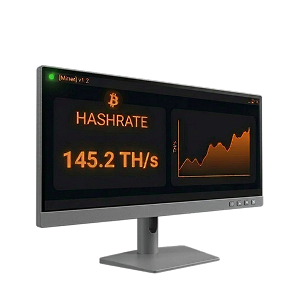
マイニングソフトウェアの核心は、マイニングハードウェアとBitcoinネットワーク間の通信を管理することです。マイニングプールに接続すると、ソフトウェアは保留中のトランザクションを含むブロックテンプレートを受信し、その作業をマイナーのASICチップに分配し、有効なシェア(部分的なProof-of-Work解)をプールに返送します。
プールはすべてのマイナーからシェアを集約し、完全なブロックをBitcoinネットワークに送信します。各シェアは、ハードウェアが一定量の計算作業を実行したことを証明します。プールはシェアを追跡し、ブロックが見つかったときに比例して支払います。
マイニングソフトウェアは継続的に新しい作業を要求し、その作業を実行するハードウェアを監視し、結果を報告します。同時に温度、ファン速度、ハッシュレート、消費電力を追跡します。ほとんどのマイナーはStratumマイニングプロトコル(V1または暗号化を追加しマイナーがブロックテンプレートのトランザクションを自分で選択できる新しいStratum V2)を介してプールに接続します。
マイニングソフトウェアのセットアップ
マイナーを設定し、最大限に活用するためのステップバイステップガイド。
ハードウェアをセットアップ
ASICマイナーを電源とイーサネットに接続し、IPアドレスを見つけ、ウェブブラウザからログインします。
ウォレットとプールを選択
支払い用のBitcoinウォレットとマイニングプールを選びます。マイナーのウェブインターフェースで、プールのStratum URL、ウォレットアドレス、ワーカー名を入力します。
マイニング開始
設定を保存すると、マイナーは数分以内にハッシングを開始します。プールがシェアを追跡し、比例して支払います。

マイニングはどのくらいの帯域幅を使用しますか?
プールマイニングでは、帯域幅の使用量はわずかで、1日約10MBです。より重要なのは、信頼性が高く安定した接続です。接続が切れるとシェアが失われ、収益が減少します。可能な限り有線イーサネット接続を使用し、プライマリプールがオフラインになった場合に備えてバックアッププールを設定してください。
ソフトウェアのアップグレード
ストックファームウェアは基本的な電力モードを提供しますが、すべてのチップに同じ設定を適用します。Braiins OS+、LuxOS、Vnishなどのサードパーティファームウェアは、チップごとのオートチューニングとオーバークロックを解放し、各チップの最適な電圧と周波数をプロファイリングして15-25%の効率向上を実現します。規模が拡大すると、フリート管理ソフトウェアが単一のダッシュボードから複数のマシンの監視と設定を支援します。
マイニング支払い用Bitcoinウォレット
自分の秘密鍵を管理するセルフカストディウォレットを使用してください。取引所やプールアカウントにビットコインを放置しないでください。
| Bitcoin専用 オープンソース | One of the oldest and most trusted Bitcoin wallets, actively developed since 2011. Lightweight, fast, and packed with power-user features including coin control, Lightning, and hardware wallet support. | Windows, macOS, Linux, Android |  |
|
| Bitcoin専用 オープンソース | Collaborative multisig wallet designed to make multi-key security accessible. Manage shared wallets across multiple hardware devices and co-signers. | Windows, macOS, Linux, iOS, Android | |
|
| Bitcoin専用 オープンソース | Simple, self-custody Bitcoin wallet for iOS and Android. Good for day-to-day spending of mining earnings. | iOS, Android | |
|
| Bitcoin専用 オープンソース | Lightning Network wallet for fast, low-fee payments. Ideal for spending small amounts of bitcoin quickly without waiting for on-chain confirmations. | iOS, Android | |
|
| Bitcoin専用 オープンソース | Formerly Blockstream Green. Self-custody Bitcoin wallet with on-chain, Lightning, and Liquid support. Built-in 2-of-2 multisig protection, hardware wallet pairing, and Tor routing. | iOS, Android, Windows, macOS, Linux | |
|
| Bitcoin専用 オープンソース | Beautiful, privacy-focused mobile wallet from Foundation Devices. Works as a companion to the Passport hardware wallet or as a standalone self-custody wallet. | iOS, Android | |
|
| Bitcoin専用 オープンソース | Self-custodial Lightning wallet that connects to your own Lightning node (LND, CLN, or Eclair). Also offers an embedded node option for those without their own infrastructure. | iOS, Android | |
|
| Bitcoin専用 オープンソース | 2-of-3 multisig wallet system from Block (formerly Square). Combines a hardware device, mobile app, and cloud recovery key for a simple self-custody experience with no seed phrase. | iOS, Android, Standalone hardware device | |







| Bitcoin専用 オープンソース | Privacy-focused Bitcoin desktop wallet with advanced UTXO management — ideal for miners who need to consolidate the many small outputs that mining pool payouts create. | Windows, macOS, Linux | |
|
| Bitcoin専用 オープンソース | One of the oldest and most trusted Bitcoin wallets, actively developed since 2011. Lightweight, fast, and packed with power-user features including coin control, Lightning, and hardware wallet support. | Windows, macOS, Linux, Android | |
|
| Bitcoin専用 オープンソース | The reference Bitcoin full node implementation. Running Bitcoin Core validates all transactions independently, giving you maximum sovereignty and privacy. The most trustless way to use Bitcoin. | Windows, macOS, Linux | |
|
| Bitcoin専用 オープンソース | Collaborative multisig wallet designed to make multi-key security accessible. Manage shared wallets across multiple hardware devices and co-signers. | Windows, macOS, Linux, iOS, Android | |
|
| Bitcoin専用 オープンソース | Formerly Blockstream Green. Self-custody Bitcoin wallet with on-chain, Lightning, and Liquid support. Built-in 2-of-2 multisig protection, hardware wallet pairing, and Tor routing. | iOS, Android, Windows, macOS, Linux | |


| Bitcoin専用 オープンソース | Air-gapped, Bitcoin-only hardware wallet that signs transactions via microSD card — no USB or wireless connection needed. The most security-focused hardware wallet available. | Standalone device (air-gapped) | |
|
| オープンソース | Open-source hardware wallet with a color touchscreen and broad software compatibility. Supports Bitcoin and other assets. | Standalone device (USB-C) | |
|
| The most widely used hardware wallet globally. Uses a certified secure element chip and supports thousands of assets alongside Bitcoin. | Standalone device (USB-C) | |
||
| Bitcoin専用 オープンソース | Swiss-made hardware wallet with fully open-source firmware. The Bitcoin-only edition removes all altcoin code, reducing the attack surface. | Standalone device (USB-C) | |
|
| Bitcoin専用 オープンソース | Affordable, fully open-source hardware wallet with air-gapped QR code signing. Uses a virtual secure element design instead of a traditional secure element chip. | Standalone device (USB-C, Bluetooth, camera) | |
|
| Bitcoin専用 オープンソース | Premium air-gapped hardware wallet with fully open-source firmware and hardware. Signs transactions via QR codes and microSD, with no USB data, Bluetooth, or WiFi. | Standalone device (air-gapped) | |
|
| Bitcoin専用 オープンソース | 2-of-3 multisig wallet system from Block (formerly Square). Combines a hardware device, mobile app, and cloud recovery key for a simple self-custody experience with no seed phrase. | iOS, Android, Standalone hardware device | |





マイニングプールには通常、最低支払いしきい値があります(多くの場合0.005-0.01 BTC)。頻繁な少額支払いは多くのUTXOを作成し、後でトランザクション手数料が高くなります。UTXO断片化を減らすために高い支払いしきい値を設定するか、ネットワーク手数料が低いときに定期的にUTXOを統合することを検討してください。
カスタムマイニングソフトウェアは必要ですか?
ストックファームウェアはそのまま動作します。カスタムソフトウェアはオプションですが、大きな違いを生む可能性があります。
ストックファームウェア
すべてのASICマイナーにはメーカーのストックファームウェアが搭載されています。接続して、ウェブインターフェースを開き、プールURLとウォレットアドレスを入力すれば、ビットコインのマイニングが始まります。
ホームマイナーや小規模な運用には、ストックファームウェアは完全に適切な出発点です。以下のファームウェアやフリート管理オプションでいつでもアップグレードできます。
ではなぜマイナーはアップグレードするのでしょうか?
効率の向上
Braiins OS+、LuxOS、Vnishなどのサードパーティファームウェアは、チップごとのオートチューニングにより、エネルギー効率を15-25%向上させることができます。大規模では、マシンあたり年間数百ドルの電気代を節約できます。

フリート管理
数台以上のマイナーを運用する場合、各マシンのウェブインターフェースを手動で確認するのは非現実的です。ForermanやAwesome Minerなどのプラットフォームは、集中ダッシュボード、自動アラート、数百台から数千台のマシンのバッチ設定を提供します。

高度な制御
エネルギーカーテイルメント(電気料金が急上昇した際のマイナーの自動停止)、ハッシュプライスに基づく動的パフォーマンススケーリング、120V家庭用マイニングモードなどの機能により、オペレーターはマイニング経済を細かく制御できます。
マイニングソフトウェアの選び方
最適なソフトウェアは、運用規模、目標、技術的な専門知識によって異なります。
ホームマイナー(1-2台のASIC)
学習、暖房、または小規模な収益のために自宅でマイナーを1-2台運用。
- 基本を学ぶためにストックファームウェアから始める
- 効率向上の準備ができたらBraiins OS+またはLuxOSにアップグレード
- LuxOSは家庭用電源向けの120Vバイパスモードを提供
- Hive OSの無料ティアで最初のマイナーの監視をカバー
小規模ファーム(3-50台のASIC)
集中監視が必要な専用マイニングセットアップ。
- 15-25%の効率向上のためにサードパーティファームウェアをフラッシュ
- すべてのマシンのオートチューニングにBraiins OS+またはVnish
- 手頃なフリート管理にAwesome MinerまたはMinerstat
- マシン障害の自動アラートを設定
産業規模の運用(50台以上のASIC)
エンタープライズツールとエネルギー管理が必要な大規模マイニング。
- フリート全体の制御にForemanまたはBraiins Manager
- デマンドレスポンスのためのエネルギーカーテイルメント自動化
- フリート全体のファームウェア標準化
- ホスティングクライアント管理とレポーティングツール
ASICファームウェア
マイナーのストックソフトウェアを置き換え、効率、ハッシュレート、制御を向上させるサードパーティファームウェア。

Braiins OS+
2-2.5% dev fee (hashrate-based); 0% effective fee when mining on Braiins Pool
訪問 Braiins OS+
The most established aftermarket ASIC firmware, developed by the team behind Braiins Pool (formerly Slush Pool). Features per-chip autotuning that analyzes every individual ASIC chip and adjusts frequencies so higher-quality chips work harder while lower-quality chips run at reduced speeds, resulting in significantly better joules-per-terahash efficiency.
- ハードウェア
- Antminer S9, S17, S19, S21, S23 series
- 最適な用途
- Miners who want maximum efficiency and Stratum V2 protocol support
- Per-chip autotuning and dynamic frequency scaling
- Native Stratum V2 support (encrypted, miner-selected transactions)
- Immersion cooling mode (no fan spoofers needed)
- Dynamic performance scaling to prevent overheating
- 2-15% hashrate increase with lower power consumption

LuxOS
2.8% dev fee; free pool usage when mining on Luxor Pool
訪問 LuxOS
The first ASIC firmware to achieve SOC 2 Type 2 certification and the only Antminer firmware developed, owned, and maintained by a US-based company (Luxor Technology). LuxOS dynamically adjusts operations — shifting to ultra-efficient mode when hashprice falls and enabling overclocking when it rises.
- ハードウェア
- Antminer S19, S21 series
- 最適な用途
- US-based operations needing SOC 2 compliance, home miners wanting 120V support
- Dynamic performance optimization based on hashprice
- 120V PSU Bypass Mode for home mining on household power
- Granular fan speed control (20-100%)
- Fast power curtailment (~25W in under 5 seconds)
- 15-18% efficiency improvement on S21 series

Vnish
2.8% dev fee; reduced rates for large-scale farms
訪問 Vnish
A widely used aftermarket firmware known for deep manual tuning controls and broad hardware compatibility. Vnish works with each individual chip on the hash board, analyzing characteristics and selecting optimal voltage and frequency parameters for maximum performance without losing stability.
- ハードウェア
- Antminer S19, S21, T19, T21, L7, L9; Whatsminer M30S+, M31S+
- 最適な用途
- Miners who want maximum manual control and broad hardware support
- Per-chip optimization with manual tuning depth
- Up to 30% hashrate boost over stock firmware
- Enhanced security with SSH protocol control and virus protection
- Power consumption reduction of up to 30%
- Free lifetime updates included
3つすべてがデベロッパーフィーモデル(ハッシュレートの2-2.8%)を使用しており、通常は提供される効率向上によって何倍も回収されます。それぞれ、関連プールでのマイニング時にフィーが削減または無料になります。
フリート&ファーム管理ソフトウェア
単一のダッシュボードから複数のマイナーを監視、制御、最適化する集中プラットフォーム。

Foreman
Industry-leading Bitcoin mine management platform enabling miners to remotely manage sites from anywhere. Excels at large-scale configuration management and monitoring with granular visibility into machine-level performance while maintaining simple fleet-wide controls.
訪問 Foreman
- 価格
- Per-device pricing tiers; free sign-up available
- 規模
- Enterprise (unlimited)
- ハードウェア
- Broad ASIC model and firmware support
- 最適な用途
- Professional mining farms needing enterprise-grade energy management
- Fleet-wide configuration and firmware management
- Automated energy curtailment based on price thresholds
- Real-time machine and environmental monitoring
- LuxOS firmware integration for advanced tuning
- Automated earnings tracking and reporting

Awesome Miner
A powerful mining management tool for Windows and Linux that scales from hobby setups to warehouse-level operations managing up to 200,000 ASIC miners. Features profit-switching capabilities that analyze real-time revenue alongside power consumption.
訪問 Awesome Miner
- 価格
- Free for up to 2 miners; $2/miner/month after that
- 規模
- Up to 200,000 ASICs
- ハードウェア
- All Antminer models, 50+ mining engines including CGMiner and BFGMiner
- 最適な用途
- Operations needing deep automation and profit optimization
- Profit switching based on real-time revenue analysis
- 30+ trigger conditions and 40+ automated actions
- Automatic problem detection and recovery
- Full Antminer support (reboot, pool config, firmware, LED)
- Web dashboard accessible from any browser

Hive OS
A popular mining operating system and management platform that supports both GPU rigs and ASIC miners from a single dashboard. Known for its beginner-friendly interface and generous free tier for home miners.
訪問 Hive OS
- 価格
- Free for home mining and first miner; $3/month per additional device
- 規模
- Small to large
- ハードウェア
- Antminer, Whatsminer, and GPU rigs
- 最適な用途
- Beginners and hybrid GPU/ASIC setups
- Unified dashboard for GPU rigs and ASIC miners
- Automatic issue detection and efficiency monitoring
- Bulk device management and configuration
- Hiveon ASIC firmware integration
- 24/7 community support

Braiins Manager
The cloud-based fleet management extension of the Braiins ecosystem, designed for managing mining operations from small setups to industrial-scale deployments. Integrates tightly with Braiins OS+ firmware and Braiins Pool.
訪問 Braiins Manager
- 価格
- Free sign-up; cloud-based platform
- 規模
- Mid-size to industrial
- ハードウェア
- Best with Braiins OS+ firmware; supports major ASIC models
- 最適な用途
- Operations already using the Braiins ecosystem
- Remote miner configuration and monitoring
- Curtailment management and energy reporting
- Issue tracking and automated alerting
- Hosting client management tools
- Tight integration with Braiins OS+ and Braiins Pool

Minerstat
Professional mining monitoring and management platform with a clean interface and broad hardware support spanning seven ASIC manufacturers. Available on Windows, Mac, Linux, and even Raspberry Pi.
訪問 Minerstat
- 価格
- Free tier available; paid plans for larger operations
- 規模
- Small to medium
- ハードウェア
- Bitmain, MicroBT, Innosilicon, Canaan, Dayun, Ebang, Fusionsilicon
- 最適な用途
- Small to medium operations wanting broad hardware support
- ASIC Hub for remote monitoring and management
- Profit switching across 300+ coins and 400+ pools
- Remote reboot and firmware updates
- Bulk and individual worker management
- Cross-platform (Windows, Mac, Linux, Raspberry Pi)
よくある質問
Bitcoinマイニングソフトウェアに関する一般的な質問への回答。
Bitcoinマイニングソフトウェアとは何ですか?
Bitcoinマイニングソフトウェアは、ASICマイニングハードウェアをBitcoinネットワークとマイニングプールに接続するプログラムレイヤーです。マイナーのチップに計算作業を配信し、完了したProof-of-Workソリューションを収集し、ネットワークに中継し、温度、ハッシュレート、ファン速度、消費電力などのハードウェアの健全性を監視します。
ASICファームウェアとは何ですか?
ASICファームウェアは、Bitcoinマイニングマシン上で直接動作するオペレーティングシステムです。ストックファームウェアはメーカー(Bitmain、MicroBT、Canaan)から出荷され、Braiins OS+、LuxOS、Vnishなどのサードパーティファームウェアがこれを置き換えて、チップごとのオートチューニング、動的電力管理、15-25%の効率向上を実現します。
Bitcoinマイニングソフトウェアは無料ですか?
ほとんどのマイニング管理プラットフォームは、小規模な運用(1-2台のマイナー)向けに無料ティアを提供しています。サードパーティASICファームウェアはデベロッパーフィーモデルを使用し、通常はハッシュレートの2-2.8%がファームウェア開発者のプールに送られます。このフィーは通常、ファームウェアが提供する効率向上によって何倍も相殺されます。
サードパーティファームウェアは必要ですか?
いいえ、ストックファームウェアはそのまま動作します。しかし、サードパーティファームウェアは通常、チップごとのオートチューニングにより15-25%優れたエネルギー効率を提供し、マイナーあたり年間数百ドルの電気代を節約できます。ほとんどのマイナーにとって、デベロッパーフィーは数日で元が取れます。
初心者に最適なマイニングソフトウェアは何ですか?
マイナーのストックファームウェアから始めて基本を学び、次にHive OSで最初のマイナーの無料監視を試してください。慣れたら、効率向上のためにBraiins OS+またはLuxOSファームウェアにアップグレードしましょう。LuxOSは120V家庭用マイニングモードがあり、特に初心者に優しいです。
Stratum V2とは何ですか?
Stratum V2は次世代のマイニングプロトコルで、マイナーとプール間の暗号化通信を追加し、中間者攻撃を防止し、マイナーがブロックテンプレートのトランザクションを自分で選択できるようにします。Braiins OS+は現在、ネイティブStratum V2サポートを備えた唯一のファームウェアです。
マイニング支払いにはどのBitcoinウォレットを使うべきですか?
自分の秘密鍵を管理するセルフカストディウォレットを使用してください。Sparrow Wallet(デスクトップ)は、プール支払いが生成する小さな出力を統合するためのUTXO管理ツールを提供しており、マイナーに最適です。長期のコールドストレージには、ColdcardやTrezorなどのハードウェアウォレットを使用してください。マイニング収益を取引所やプールアカウントに放置しないでください。