คู่มือซอฟต์แวร์ขุด Bitcoin
เลเยอร์เชื่อมต่อระหว่างฮาร์ดแวร์ของคุณกับเครือข่าย Bitcoin ประสานงานกับพูล ส่งบล็อก และตรวจสอบประสิทธิภาพ
จากเครือข่ายสู่ฮาร์ดแวร์
ซอฟต์แวร์ขุดคือเลเยอร์กลางที่รับงานจากเครือข่ายและพูลแล้วส่งต่อไปยังเครื่องขุด ASIC ของคุณ

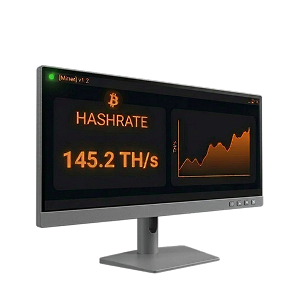
โดยพื้นฐานแล้ว ซอฟต์แวร์ขุดจัดการการสื่อสารระหว่างฮาร์ดแวร์ขุดของคุณกับเครือข่าย Bitcoin เมื่อเชื่อมต่อกับพูลขุด ซอฟต์แวร์จะรับเทมเพลตบล็อกที่มีธุรกรรมที่รอดำเนินการ กระจายงานนั้นไปยังชิป ASIC บนเครื่องขุดของคุณ และส่งแชร์ที่ถูกต้อง (คำตอบ Proof-of-Work บางส่วน) กลับไปยังพูล
พูลรวบรวมแชร์จากนักขุดทั้งหมดและส่งบล็อกที่สมบูรณ์ไปยังเครือข่าย Bitcoin แต่ละแชร์พิสูจน์ว่าฮาร์ดแวร์ของคุณได้ทำงานคำนวณในปริมาณที่กำหนด พูลติดตามแชร์ของคุณและจ่ายตามสัดส่วนเมื่อพบบล็อก
ซอฟต์แวร์ขุดของคุณร้องของานใหม่อย่างต่อเนื่อง ตรวจสอบฮาร์ดแวร์ที่ทำงานนั้น และรายงานผลลัพธ์ ขณะเดียวกันก็ติดตามอุณหภูมิ ความเร็วพัดลม แฮชเรต และการใช้พลังงาน นักขุดส่วนใหญ่เชื่อมต่อกับพูลผ่านโปรโตคอลขุด Stratum ทั้ง V1 หรือ Stratum V2 ที่ใหม่กว่าซึ่งเพิ่มการเข้ารหัสและให้นักขุดเลือกธุรกรรมสำหรับเทมเพลตบล็อกได้เอง
การตั้งค่าซอฟต์แวร์ขุดของคุณ
คู่มือทีละขั้นตอนในการตั้งค่าเครื่องขุดและใช้งานให้เกิดประโยชน์สูงสุด
ตั้งค่าฮาร์ดแวร์
เชื่อมต่อเครื่องขุด ASIC กับไฟฟ้าและอีเทอร์เน็ต ค้นหา IP แอดเดรส และเข้าสู่ระบบผ่านเว็บเบราว์เซอร์
เลือกกระเป๋าเงินและพูล
เลือกกระเป๋าเงิน Bitcoin สำหรับรับเงินและพูลขุด ในอินเทอร์เฟซเว็บของเครื่องขุด ให้ป้อน Stratum URL ของพูล ที่อยู่กระเป๋าเงิน และชื่อ worker
เริ่มขุด
บันทึกการตั้งค่าและเครื่องขุดจะเริ่มแฮชภายในไม่กี่นาที พูลจะติดตามแชร์ของคุณและจ่ายตามสัดส่วน

ตรวจสอบและปรับแต่ง
ติดตามแฮชเรต อุณหภูมิ และการใช้พลังงานผ่านอินเทอร์เฟซเว็บของเครื่องขุดหรือแพลตฟอร์มจัดการฝูงเครื่อง
การขุดใช้แบนด์วิดท์เท่าไร?
เมื่อขุดกับพูล แบนด์วิดท์ที่ใช้มีน้อยมาก ประมาณ 10 MB ต่อวัน สิ่งที่สำคัญกว่าคือการเชื่อมต่อที่เชื่อถือได้และเสถียร การเชื่อมต่อขาดหายหมายถึงแชร์ที่สูญเสียและรายได้ที่ลดลง ใช้การเชื่อมต่ออีเทอร์เน็ตแบบสายเมื่อเป็นไปได้ และกำหนดค่าพูลสำรองในกรณีที่พูลหลักออฟไลน์
อัปเกรดซอฟต์แวร์ของคุณ
เฟิร์มแวร์ดั้งเดิมมีโหมดพลังงานพื้นฐานแต่ใช้การตั้งค่าเดียวกันกับทุกชิป เฟิร์มแวร์จากบุคคลที่สามเช่น Braiins OS+, LuxOS และ Vnish ปลดล็อกการปรับจูนอัตโนมัติและโอเวอร์คล็อกรายชิป โปรไฟล์แต่ละชิปเพื่อหาแรงดันและความถี่ที่เหมาะสมที่สุดสำหรับประสิทธิภาพที่เพิ่มขึ้น 15-25% เมื่อขยายขนาด ซอฟต์แวร์จัดการฝูงเครื่องจะช่วยตรวจสอบและกำหนดค่าเครื่องหลายเครื่องจากแดชบอร์ดเดียว
กระเป๋าเงิน Bitcoin สำหรับรับเงินจากการขุด
ใช้กระเป๋าเงินแบบเก็บรักษาเองที่คุณควบคุมคีย์ส่วนตัวของคุณเอง อย่าทิ้งบิตคอยน์ไว้บนกระดานซื้อขายหรือในบัญชีพูล
| Bitcoin เท่านั้น โอเพนซอร์ส | One of the oldest and most trusted Bitcoin wallets, actively developed since 2011. Lightweight, fast, and packed with power-user features including coin control, Lightning, and hardware wallet support. | Windows, macOS, Linux, Android |  |
|
| Bitcoin เท่านั้น โอเพนซอร์ส | Collaborative multisig wallet designed to make multi-key security accessible. Manage shared wallets across multiple hardware devices and co-signers. | Windows, macOS, Linux, iOS, Android | |
|
| Bitcoin เท่านั้น โอเพนซอร์ส | Simple, self-custody Bitcoin wallet for iOS and Android. Good for day-to-day spending of mining earnings. | iOS, Android | |
|
| Bitcoin เท่านั้น โอเพนซอร์ส | Lightning Network wallet for fast, low-fee payments. Ideal for spending small amounts of bitcoin quickly without waiting for on-chain confirmations. | iOS, Android | |
|
| Bitcoin เท่านั้น โอเพนซอร์ส | Formerly Blockstream Green. Self-custody Bitcoin wallet with on-chain, Lightning, and Liquid support. Built-in 2-of-2 multisig protection, hardware wallet pairing, and Tor routing. | iOS, Android, Windows, macOS, Linux | |
|
| Bitcoin เท่านั้น โอเพนซอร์ส | Beautiful, privacy-focused mobile wallet from Foundation Devices. Works as a companion to the Passport hardware wallet or as a standalone self-custody wallet. | iOS, Android | |
|
| Bitcoin เท่านั้น โอเพนซอร์ส | Self-custodial Lightning wallet that connects to your own Lightning node (LND, CLN, or Eclair). Also offers an embedded node option for those without their own infrastructure. | iOS, Android | |
|
| Bitcoin เท่านั้น โอเพนซอร์ส | 2-of-3 multisig wallet system from Block (formerly Square). Combines a hardware device, mobile app, and cloud recovery key for a simple self-custody experience with no seed phrase. | iOS, Android, Standalone hardware device | |







| Bitcoin เท่านั้น โอเพนซอร์ส | Privacy-focused Bitcoin desktop wallet with advanced UTXO management — ideal for miners who need to consolidate the many small outputs that mining pool payouts create. | Windows, macOS, Linux | |
|
| Bitcoin เท่านั้น โอเพนซอร์ส | One of the oldest and most trusted Bitcoin wallets, actively developed since 2011. Lightweight, fast, and packed with power-user features including coin control, Lightning, and hardware wallet support. | Windows, macOS, Linux, Android | |
|
| Bitcoin เท่านั้น โอเพนซอร์ส | The reference Bitcoin full node implementation. Running Bitcoin Core validates all transactions independently, giving you maximum sovereignty and privacy. The most trustless way to use Bitcoin. | Windows, macOS, Linux | |
|
| Bitcoin เท่านั้น โอเพนซอร์ส | Collaborative multisig wallet designed to make multi-key security accessible. Manage shared wallets across multiple hardware devices and co-signers. | Windows, macOS, Linux, iOS, Android | |
|
| Bitcoin เท่านั้น โอเพนซอร์ส | Formerly Blockstream Green. Self-custody Bitcoin wallet with on-chain, Lightning, and Liquid support. Built-in 2-of-2 multisig protection, hardware wallet pairing, and Tor routing. | iOS, Android, Windows, macOS, Linux | |


| Bitcoin เท่านั้น โอเพนซอร์ส | Air-gapped, Bitcoin-only hardware wallet that signs transactions via microSD card — no USB or wireless connection needed. The most security-focused hardware wallet available. | Standalone device (air-gapped) | |
|
| โอเพนซอร์ส | Open-source hardware wallet with a color touchscreen and broad software compatibility. Supports Bitcoin and other assets. | Standalone device (USB-C) | |
|
| The most widely used hardware wallet globally. Uses a certified secure element chip and supports thousands of assets alongside Bitcoin. | Standalone device (USB-C) | |
||
| Bitcoin เท่านั้น โอเพนซอร์ส | Swiss-made hardware wallet with fully open-source firmware. The Bitcoin-only edition removes all altcoin code, reducing the attack surface. | Standalone device (USB-C) | |
|
| Bitcoin เท่านั้น โอเพนซอร์ส | Affordable, fully open-source hardware wallet with air-gapped QR code signing. Uses a virtual secure element design instead of a traditional secure element chip. | Standalone device (USB-C, Bluetooth, camera) | |
|
| Bitcoin เท่านั้น โอเพนซอร์ส | Premium air-gapped hardware wallet with fully open-source firmware and hardware. Signs transactions via QR codes and microSD, with no USB data, Bluetooth, or WiFi. | Standalone device (air-gapped) | |
|
| Bitcoin เท่านั้น โอเพนซอร์ส | 2-of-3 multisig wallet system from Block (formerly Square). Combines a hardware device, mobile app, and cloud recovery key for a simple self-custody experience with no seed phrase. | iOS, Android, Standalone hardware device | |





พูลขุดมักมีเกณฑ์การจ่ายขั้นต่ำ (มักอยู่ที่ 0.005-0.01 BTC) การจ่ายเล็กน้อยบ่อยๆ สร้าง UTXO จำนวนมากซึ่งมีค่าธรรมเนียมธุรกรรมสูงขึ้นในภายหลัง พิจารณาตั้งเกณฑ์การจ่ายที่สูงขึ้นเพื่อลดการแยกส่วน UTXO หรือรวม UTXO ของคุณเป็นระยะเมื่อค่าธรรมเนียมเครือข่ายต่ำ
คุณต้องการซอฟต์แวร์ขุดแบบกำหนดเองหรือไม่?
เฟิร์มแวร์ดั้งเดิมใช้งานได้ทันที ซอฟต์แวร์แบบกำหนดเองเป็นตัวเลือก แต่สามารถสร้างความแตกต่างได้มาก
เฟิร์มแวร์ดั้งเดิม
เครื่องขุด ASIC ทุกเครื่องมาพร้อมเฟิร์มแวร์ดั้งเดิมจากผู้ผลิต เสียบปลั๊ก เปิดอินเทอร์เฟซเว็บ ป้อน URL พูลและที่อยู่กระเป๋าเงิน แล้วคุณก็เริ่มขุดบิตคอยน์ได้แล้ว
สำหรับนักขุดที่บ้านและการดำเนินงานขนาดเล็ก เฟิร์มแวร์ดั้งเดิมเป็นจุดเริ่มต้นที่ดีอย่างสมบูรณ์ คุณสามารถอัปเกรดในภายหลังด้วยตัวเลือกเฟิร์มแวร์และการจัดการฝูงเครื่องด้านล่าง
แล้วทำไมนักขุดถึงอัปเกรด?
เพิ่มประสิทธิภาพ
เฟิร์มแวร์จากบุคคลที่สามเช่น Braiins OS+, LuxOS และ Vnish สามารถปรับปรุงประสิทธิภาพพลังงานได้ 15-25% ผ่านการปรับจูนอัตโนมัติรายชิป ในระดับใหญ่ จะประหยัดค่าไฟหลายร้อยดอลลาร์ต่อเครื่องต่อปี

การจัดการฝูงเครื่อง
เมื่อใช้งานเครื่องขุดมากกว่าสองสามเครื่อง การตรวจสอบอินเทอร์เฟซเว็บของแต่ละเครื่องด้วยตนเองไม่เป็นประโยชน์ แพลตฟอร์มเช่น Foreman และ Awesome Miner ให้แดชบอร์ดรวมศูนย์ การแจ้งเตือนอัตโนมัติ และการกำหนดค่าแบบกลุ่มสำหรับเครื่องหลายร้อยหรือหลายพันเครื่อง

การควบคุมขั้นสูง
คุณสมบัติเช่น การจำกัดพลังงาน (ปิดเครื่องขุดอัตโนมัติเมื่อราคาไฟฟ้าพุ่งสูง) การปรับประสิทธิภาพแบบไดนามิกตาม hashprice และโหมดขุดที่บ้าน 120V ให้ผู้ดำเนินการควบคุมเศรษฐศาสตร์การขุดอย่างละเอียด
วิธีเลือกซอฟต์แวร์ขุด
ซอฟต์แวร์ที่เหมาะสมขึ้นอยู่กับขนาดการดำเนินงาน เป้าหมาย และความเชี่ยวชาญทางเทคนิคของคุณ
นักขุดที่บ้าน (1-2 ASIC)
ใช้งานเครื่องขุดหนึ่งหรือสองเครื่องที่บ้านเพื่อเรียนรู้ ให้ความร้อน หรือรายได้ขนาดเล็ก
- เริ่มต้นด้วยเฟิร์มแวร์ดั้งเดิมเพื่อเรียนรู้พื้นฐาน
- อัปเกรดเป็น Braiins OS+ หรือ LuxOS เมื่อพร้อมสำหรับประสิทธิภาพที่ดีขึ้น
- LuxOS มีโหมดบายพาส 120V สำหรับไฟฟ้าบ้าน
- แผนฟรีของ Hive OS ครอบคลุมการตรวจสอบเครื่องขุดเครื่องแรกของคุณ
ฟาร์มขนาดเล็ก (3-50 ASIC)
การตั้งค่าขุดเฉพาะทางที่ต้องการการตรวจสอบแบบรวมศูนย์
- แฟลชเฟิร์มแวร์จากบุคคลที่สามเพื่อเพิ่มประสิทธิภาพ 15-25%
- Braiins OS+ หรือ Vnish สำหรับการปรับจูนอัตโนมัติทุกเครื่อง
- Awesome Miner หรือ Minerstat สำหรับการจัดการฝูงเครื่องในราคาที่เอื้อมถึง
- ตั้งค่าการแจ้งเตือนอัตโนมัติสำหรับเครื่องที่ล้มเหลว
การดำเนินงานระดับอุตสาหกรรม (50+ ASIC)
การขุดขนาดใหญ่ที่ต้องการเครื่องมือระดับองค์กรและการจัดการพลังงาน
- Foreman หรือ Braiins Manager สำหรับการควบคุมทั้งฝูงเครื่อง
- ระบบอัตโนมัติการจำกัดพลังงานสำหรับการตอบสนองอุปสงค์
- การทำให้เฟิร์มแวร์เป็นมาตรฐานทั้งฝูงเครื่อง
- เครื่องมือจัดการลูกค้าโฮสติ้งและการรายงาน
เฟิร์มแวร์ ASIC
เฟิร์มแวร์จากบุคคลที่สามที่แทนที่ซอฟต์แวร์ดั้งเดิมของเครื่องขุดเพื่อปรับปรุงประสิทธิภาพ แฮชเรต และการควบคุม

Braiins OS+
2-2.5% dev fee (hashrate-based); 0% effective fee when mining on Braiins Pool
เยี่ยมชม Braiins OS+
The most established aftermarket ASIC firmware, developed by the team behind Braiins Pool (formerly Slush Pool). Features per-chip autotuning that analyzes every individual ASIC chip and adjusts frequencies so higher-quality chips work harder while lower-quality chips run at reduced speeds, resulting in significantly better joules-per-terahash efficiency.
- ฮาร์ดแวร์
- Antminer S9, S17, S19, S21, S23 series
- เหมาะสำหรับ
- Miners who want maximum efficiency and Stratum V2 protocol support
- Per-chip autotuning and dynamic frequency scaling
- Native Stratum V2 support (encrypted, miner-selected transactions)
- Immersion cooling mode (no fan spoofers needed)
- Dynamic performance scaling to prevent overheating
- 2-15% hashrate increase with lower power consumption

LuxOS
2.8% dev fee; free pool usage when mining on Luxor Pool
เยี่ยมชม LuxOS
The first ASIC firmware to achieve SOC 2 Type 2 certification and the only Antminer firmware developed, owned, and maintained by a US-based company (Luxor Technology). LuxOS dynamically adjusts operations — shifting to ultra-efficient mode when hashprice falls and enabling overclocking when it rises.
- ฮาร์ดแวร์
- Antminer S19, S21 series
- เหมาะสำหรับ
- US-based operations needing SOC 2 compliance, home miners wanting 120V support
- Dynamic performance optimization based on hashprice
- 120V PSU Bypass Mode for home mining on household power
- Granular fan speed control (20-100%)
- Fast power curtailment (~25W in under 5 seconds)
- 15-18% efficiency improvement on S21 series

Vnish
2.8% dev fee; reduced rates for large-scale farms
เยี่ยมชม Vnish
A widely used aftermarket firmware known for deep manual tuning controls and broad hardware compatibility. Vnish works with each individual chip on the hash board, analyzing characteristics and selecting optimal voltage and frequency parameters for maximum performance without losing stability.
- ฮาร์ดแวร์
- Antminer S19, S21, T19, T21, L7, L9; Whatsminer M30S+, M31S+
- เหมาะสำหรับ
- Miners who want maximum manual control and broad hardware support
- Per-chip optimization with manual tuning depth
- Up to 30% hashrate boost over stock firmware
- Enhanced security with SSH protocol control and virus protection
- Power consumption reduction of up to 30%
- Free lifetime updates included
ทั้งสามใช้โมเดลค่าธรรมเนียมนักพัฒนา (2-2.8% ของแฮชเรต) ซึ่งมักจะคุ้มค่าหลายเท่าจากการปรับปรุงประสิทธิภาพที่ได้รับ แต่ละตัวยังเสนอค่าธรรมเนียมที่ลดลงหรือไม่มีเมื่อขุดบนพูลที่เกี่ยวข้อง
ซอฟต์แวร์จัดการฝูงเครื่องและฟาร์ม
แพลตฟอร์มรวมศูนย์เพื่อตรวจสอบ ควบคุม และปรับแต่งเครื่องขุดหลายเครื่องจากแดชบอร์ดเดียว

Foreman
Industry-leading Bitcoin mine management platform enabling miners to remotely manage sites from anywhere. Excels at large-scale configuration management and monitoring with granular visibility into machine-level performance while maintaining simple fleet-wide controls.
เยี่ยมชม Foreman
- ราคา
- Per-device pricing tiers; free sign-up available
- ขนาด
- Enterprise (unlimited)
- ฮาร์ดแวร์
- Broad ASIC model and firmware support
- เหมาะสำหรับ
- Professional mining farms needing enterprise-grade energy management
- Fleet-wide configuration and firmware management
- Automated energy curtailment based on price thresholds
- Real-time machine and environmental monitoring
- LuxOS firmware integration for advanced tuning
- Automated earnings tracking and reporting

Awesome Miner
A powerful mining management tool for Windows and Linux that scales from hobby setups to warehouse-level operations managing up to 200,000 ASIC miners. Features profit-switching capabilities that analyze real-time revenue alongside power consumption.
เยี่ยมชม Awesome Miner
- ราคา
- Free for up to 2 miners; $2/miner/month after that
- ขนาด
- Up to 200,000 ASICs
- ฮาร์ดแวร์
- All Antminer models, 50+ mining engines including CGMiner and BFGMiner
- เหมาะสำหรับ
- Operations needing deep automation and profit optimization
- Profit switching based on real-time revenue analysis
- 30+ trigger conditions and 40+ automated actions
- Automatic problem detection and recovery
- Full Antminer support (reboot, pool config, firmware, LED)
- Web dashboard accessible from any browser

Hive OS
A popular mining operating system and management platform that supports both GPU rigs and ASIC miners from a single dashboard. Known for its beginner-friendly interface and generous free tier for home miners.
เยี่ยมชม Hive OS
- ราคา
- Free for home mining and first miner; $3/month per additional device
- ขนาด
- Small to large
- ฮาร์ดแวร์
- Antminer, Whatsminer, and GPU rigs
- เหมาะสำหรับ
- Beginners and hybrid GPU/ASIC setups
- Unified dashboard for GPU rigs and ASIC miners
- Automatic issue detection and efficiency monitoring
- Bulk device management and configuration
- Hiveon ASIC firmware integration
- 24/7 community support

Braiins Manager
The cloud-based fleet management extension of the Braiins ecosystem, designed for managing mining operations from small setups to industrial-scale deployments. Integrates tightly with Braiins OS+ firmware and Braiins Pool.
เยี่ยมชม Braiins Manager
- ราคา
- Free sign-up; cloud-based platform
- ขนาด
- Mid-size to industrial
- ฮาร์ดแวร์
- Best with Braiins OS+ firmware; supports major ASIC models
- เหมาะสำหรับ
- Operations already using the Braiins ecosystem
- Remote miner configuration and monitoring
- Curtailment management and energy reporting
- Issue tracking and automated alerting
- Hosting client management tools
- Tight integration with Braiins OS+ and Braiins Pool

Minerstat
Professional mining monitoring and management platform with a clean interface and broad hardware support spanning seven ASIC manufacturers. Available on Windows, Mac, Linux, and even Raspberry Pi.
เยี่ยมชม Minerstat
- ราคา
- Free tier available; paid plans for larger operations
- ขนาด
- Small to medium
- ฮาร์ดแวร์
- Bitmain, MicroBT, Innosilicon, Canaan, Dayun, Ebang, Fusionsilicon
- เหมาะสำหรับ
- Small to medium operations wanting broad hardware support
- ASIC Hub for remote monitoring and management
- Profit switching across 300+ coins and 400+ pools
- Remote reboot and firmware updates
- Bulk and individual worker management
- Cross-platform (Windows, Mac, Linux, Raspberry Pi)
คำถามที่พบบ่อย
คำตอบสำหรับคำถามทั่วไปเกี่ยวกับซอฟต์แวร์ขุด Bitcoin
ซอฟต์แวร์ขุด Bitcoin คืออะไร?
ซอฟต์แวร์ขุด Bitcoin คือเลเยอร์โปรแกรมที่เชื่อมต่อฮาร์ดแวร์ขุด ASIC กับเครือข่าย Bitcoin และพูลขุด มันส่งงานคำนวณไปยังชิปของเครื่องขุด รวบรวมคำตอบ Proof-of-Work ที่เสร็จสมบูรณ์ ถ่ายทอดไปยังเครือข่าย และตรวจสอบสุขภาพของฮาร์ดแวร์รวมถึงอุณหภูมิ แฮชเรต ความเร็วพัดลม และการใช้พลังงาน
เฟิร์มแวร์ ASIC คืออะไร?
เฟิร์มแวร์ ASIC คือระบบปฏิบัติการที่ทำงานโดยตรงบนเครื่องขุด Bitcoin เฟิร์มแวร์ดั้งเดิมมาจากผู้ผลิต (Bitmain, MicroBT, Canaan) ในขณะที่เฟิร์มแวร์จากบุคคลที่สามเช่น Braiins OS+, LuxOS และ Vnish จะเข้ามาแทนที่เพื่อปลดล็อกการปรับจูนอัตโนมัติรายชิป การจัดการพลังงานแบบไดนามิก และการปรับปรุงประสิทธิภาพ 15-25%
ซอฟต์แวร์ขุด Bitcoin ฟรีหรือไม่?
แพลตฟอร์มจัดการการขุดส่วนใหญ่เสนอแผนฟรีสำหรับการดำเนินงานขนาดเล็ก (1-2 เครื่องขุด) เฟิร์มแวร์ ASIC จากบุคคลที่สามใช้โมเดลค่าธรรมเนียมนักพัฒนา โดยทั่วไป 2-2.8% ของแฮชเรตจะถูกส่งไปยังพูลของผู้พัฒนาเฟิร์มแวร์ ค่าธรรมเนียมนี้มักจะคุ้มค่าหลายเท่าจากประสิทธิภาพที่เพิ่มขึ้น
ฉันต้องการเฟิร์มแวร์จากบุคคลที่สามหรือไม่?
ไม่ เฟิร์มแวร์ดั้งเดิมใช้งานได้ทันที แต่เฟิร์มแวร์จากบุคคลที่สามมักจะให้ประสิทธิภาพพลังงานที่ดีขึ้น 15-25% ผ่านการปรับจูนอัตโนมัติรายชิป ซึ่งสามารถประหยัดค่าไฟได้หลายร้อยดอลลาร์ต่อเครื่องต่อปี สำหรับนักขุดส่วนใหญ่ ค่าธรรมเนียมนักพัฒนาคุ้มทุนภายในไม่กี่วัน
ซอฟต์แวร์ขุดที่ดีที่สุดสำหรับผู้เริ่มต้นคืออะไร?
เริ่มต้นด้วยเฟิร์มแวร์ดั้งเดิมของเครื่องขุดเพื่อเรียนรู้พื้นฐาน จากนั้นลอง Hive OS สำหรับการตรวจสอบเครื่องขุดเครื่องแรกฟรี เมื่อสบายใจแล้ว อัปเกรดเป็นเฟิร์มแวร์ Braiins OS+ หรือ LuxOS เพื่อเพิ่มประสิทธิภาพ LuxOS เป็นมิตรกับผู้เริ่มต้นเป็นพิเศษด้วยโหมดขุดที่บ้าน 120V
Stratum V2 คืออะไร?
Stratum V2 คือโปรโตคอลขุดรุ่นถัดไปที่เพิ่มการสื่อสารแบบเข้ารหัสระหว่างนักขุดและพูล ป้องกันการโจมตีแบบแทรกกลาง และอนุญาตให้นักขุดเลือกธุรกรรมสำหรับเทมเพลตบล็อกด้วยตนเอง Braiins OS+ เป็นเฟิร์มแวร์เดียวในปัจจุบันที่รองรับ Stratum V2 แบบเนทีฟ
ฉันควรใช้กระเป๋าเงิน Bitcoin ใดสำหรับรับเงินจากการขุด?
ใช้กระเป๋าเงินแบบเก็บรักษาเองที่คุณควบคุมคีย์ส่วนตัวของคุณเอง Sparrow Wallet (เดสก์ท็อป) เหมาะสำหรับนักขุดเพราะมีเครื่องมือจัดการ UTXO สำหรับรวมเอาต์พุตขนาดเล็กที่เกิดจากการจ่ายเงินของพูล สำหรับการเก็บรักษาแบบเย็นระยะยาว ใช้กระเป๋าเงินฮาร์ดแวร์เช่น Coldcard หรือ Trezor หลีกเลี่ยงการทิ้งรายได้จากการขุดไว้บนกระดานซื้อขายหรือในบัญชีพูล