Hướng dẫn phần mềm đào Bitcoin
Lớp kết nối giữa phần cứng của bạn và mạng lưới Bitcoin. Phối hợp công việc với pool, gửi khối và giám sát hiệu suất.
Từ mạng lưới đến phần cứng
Phần mềm đào là lớp trung gian, nhận công việc từ mạng lưới và pool rồi chuyển đến máy đào ASIC của bạn.

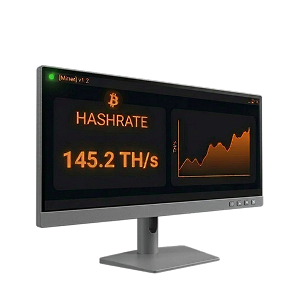
Về cốt lõi, phần mềm đào quản lý giao tiếp giữa phần cứng đào và mạng lưới Bitcoin. Khi kết nối với pool đào, phần mềm nhận mẫu khối chứa các giao dịch đang chờ, phân phối công việc đó cho các chip ASIC trên máy đào của bạn và gửi các share hợp lệ (giải pháp Proof-of-Work một phần) trở lại pool.
Pool tổng hợp share từ tất cả thợ đào và gửi các khối hoàn chỉnh đến mạng lưới Bitcoin. Mỗi share chứng minh phần cứng của bạn đã thực hiện một lượng công việc tính toán nhất định. Pool theo dõi share của bạn và trả thưởng tương ứng khi tìm được khối.
Phần mềm đào của bạn liên tục yêu cầu công việc mới, giám sát phần cứng thực hiện công việc đó và báo cáo kết quả, đồng thời theo dõi nhiệt độ, tốc độ quạt, hash rate và mức tiêu thụ điện. Hầu hết thợ đào kết nối với pool qua giao thức đào Stratum — V1 hoặc Stratum V2 mới hơn, bổ sung mã hóa và cho phép thợ đào tự chọn giao dịch cho mẫu khối.
Thiết lập phần mềm đào của bạn
Hướng dẫn từng bước để thiết lập máy đào và tận dụng tối đa.
Thiết lập phần cứng
Kết nối máy đào ASIC với nguồn điện và ethernet, tìm địa chỉ IP và đăng nhập qua trình duyệt web.
Chọn ví và pool
Chọn một ví Bitcoin để nhận thanh toán và một pool đào. Trong giao diện web của máy đào, nhập URL Stratum của pool, địa chỉ ví và tên worker.
Bắt đầu đào
Lưu cấu hình và máy đào sẽ bắt đầu băm trong vài phút. Pool theo dõi share của bạn và trả thưởng tương ứng.

Giám sát và tối ưu hóa
Theo dõi hash rate, nhiệt độ và mức tiêu thụ điện qua giao diện web của máy đào hoặc nền tảng quản lý đội máy.
Đào tiêu tốn bao nhiêu băng thông?
Khi đào qua pool, băng thông sử dụng không đáng kể, khoảng 10 MB mỗi ngày. Điều quan trọng hơn là kết nối đáng tin cậy và ổn định. Mất kết nối đồng nghĩa với mất share và giảm thu nhập. Sử dụng kết nối ethernet có dây khi có thể, và cấu hình pool dự phòng phòng khi pool chính bị ngắt.
Nâng cấp phần mềm của bạn
Firmware gốc cung cấp các chế độ nguồn cơ bản nhưng áp dụng cùng cài đặt cho mọi chip. Firmware bên thứ ba như Braiins OS+, LuxOS và Vnish mở khóa tự động điều chỉnh và ép xung từng chip, tìm điện áp và tần số tối ưu cho mỗi chip để đạt hiệu suất cao hơn 15-25%. Khi mở rộng, phần mềm quản lý đội máy giúp bạn giám sát và cấu hình nhiều máy từ một bảng điều khiển duy nhất.
Ví Bitcoin cho thanh toán đào
Sử dụng ví tự quản lý nơi bạn kiểm soát khóa riêng của mình — đừng để bitcoin trên sàn giao dịch hoặc trong tài khoản pool.
| Chỉ Bitcoin Mã nguồn mở | One of the oldest and most trusted Bitcoin wallets, actively developed since 2011. Lightweight, fast, and packed with power-user features including coin control, Lightning, and hardware wallet support. | Windows, macOS, Linux, Android |  |
|
| Chỉ Bitcoin Mã nguồn mở | Collaborative multisig wallet designed to make multi-key security accessible. Manage shared wallets across multiple hardware devices and co-signers. | Windows, macOS, Linux, iOS, Android | |
|
| Chỉ Bitcoin Mã nguồn mở | Simple, self-custody Bitcoin wallet for iOS and Android. Good for day-to-day spending of mining earnings. | iOS, Android | |
|
| Chỉ Bitcoin Mã nguồn mở | Lightning Network wallet for fast, low-fee payments. Ideal for spending small amounts of bitcoin quickly without waiting for on-chain confirmations. | iOS, Android | |
|
| Chỉ Bitcoin Mã nguồn mở | Formerly Blockstream Green. Self-custody Bitcoin wallet with on-chain, Lightning, and Liquid support. Built-in 2-of-2 multisig protection, hardware wallet pairing, and Tor routing. | iOS, Android, Windows, macOS, Linux | |
|
| Chỉ Bitcoin Mã nguồn mở | Beautiful, privacy-focused mobile wallet from Foundation Devices. Works as a companion to the Passport hardware wallet or as a standalone self-custody wallet. | iOS, Android | |
|
| Chỉ Bitcoin Mã nguồn mở | Self-custodial Lightning wallet that connects to your own Lightning node (LND, CLN, or Eclair). Also offers an embedded node option for those without their own infrastructure. | iOS, Android | |
|
| Chỉ Bitcoin Mã nguồn mở | 2-of-3 multisig wallet system from Block (formerly Square). Combines a hardware device, mobile app, and cloud recovery key for a simple self-custody experience with no seed phrase. | iOS, Android, Standalone hardware device | |






| Chỉ Bitcoin Mã nguồn mở | Privacy-focused Bitcoin desktop wallet with advanced UTXO management — ideal for miners who need to consolidate the many small outputs that mining pool payouts create. | Windows, macOS, Linux | |
|
| Chỉ Bitcoin Mã nguồn mở | One of the oldest and most trusted Bitcoin wallets, actively developed since 2011. Lightweight, fast, and packed with power-user features including coin control, Lightning, and hardware wallet support. | Windows, macOS, Linux, Android | |
|
| Chỉ Bitcoin Mã nguồn mở | The reference Bitcoin full node implementation. Running Bitcoin Core validates all transactions independently, giving you maximum sovereignty and privacy. The most trustless way to use Bitcoin. | Windows, macOS, Linux | |
|
| Chỉ Bitcoin Mã nguồn mở | Collaborative multisig wallet designed to make multi-key security accessible. Manage shared wallets across multiple hardware devices and co-signers. | Windows, macOS, Linux, iOS, Android | |
|
| Chỉ Bitcoin Mã nguồn mở | Formerly Blockstream Green. Self-custody Bitcoin wallet with on-chain, Lightning, and Liquid support. Built-in 2-of-2 multisig protection, hardware wallet pairing, and Tor routing. | iOS, Android, Windows, macOS, Linux | |


| Chỉ Bitcoin Mã nguồn mở | Air-gapped, Bitcoin-only hardware wallet that signs transactions via microSD card — no USB or wireless connection needed. The most security-focused hardware wallet available. | Standalone device (air-gapped) | |
|
| Mã nguồn mở | Open-source hardware wallet with a color touchscreen and broad software compatibility. Supports Bitcoin and other assets. | Standalone device (USB-C) | |
|
| The most widely used hardware wallet globally. Uses a certified secure element chip and supports thousands of assets alongside Bitcoin. | Standalone device (USB-C) | |
||
| Chỉ Bitcoin Mã nguồn mở | Swiss-made hardware wallet with fully open-source firmware. The Bitcoin-only edition removes all altcoin code, reducing the attack surface. | Standalone device (USB-C) | |
|
| Chỉ Bitcoin Mã nguồn mở | Affordable, fully open-source hardware wallet with air-gapped QR code signing. Uses a virtual secure element design instead of a traditional secure element chip. | Standalone device (USB-C, Bluetooth, camera) | |
|
| Chỉ Bitcoin Mã nguồn mở | Premium air-gapped hardware wallet with fully open-source firmware and hardware. Signs transactions via QR codes and microSD, with no USB data, Bluetooth, or WiFi. | Standalone device (air-gapped) | |
|
| Chỉ Bitcoin Mã nguồn mở | 2-of-3 multisig wallet system from Block (formerly Square). Combines a hardware device, mobile app, and cloud recovery key for a simple self-custody experience with no seed phrase. | iOS, Android, Standalone hardware device | |





Các pool đào thường có ngưỡng thanh toán tối thiểu (thường 0,005-0,01 BTC). Thanh toán nhỏ thường xuyên tạo ra nhiều UTXO khiến phí giao dịch sau này cao hơn. Hãy cân nhắc đặt ngưỡng thanh toán cao hơn để giảm phân mảnh UTXO, hoặc định kỳ hợp nhất UTXO khi phí mạng thấp.
Bạn có cần phần mềm đào tùy chỉnh không?
Firmware gốc hoạt động ngay khi mở hộp. Phần mềm tùy chỉnh là tùy chọn, nhưng có thể tạo ra sự khác biệt lớn.
Firmware gốc
Mọi máy đào ASIC đều đi kèm firmware gốc từ nhà sản xuất. Cắm điện, mở giao diện web, nhập URL pool và địa chỉ ví, và bạn đã bắt đầu đào bitcoin.
Đối với thợ đào tại nhà và hoạt động nhỏ, firmware gốc là điểm khởi đầu hoàn toàn phù hợp. Bạn luôn có thể nâng cấp sau với các tùy chọn firmware và quản lý đội máy bên dưới.
Vậy tại sao thợ đào lại nâng cấp?

Tăng hiệu suất
Firmware bên thứ ba như Braiins OS+, LuxOS và Vnish có thể cải thiện hiệu suất năng lượng 15-25% thông qua tự động điều chỉnh từng chip. Ở quy mô lớn, điều này tiết kiệm hàng trăm đô la mỗi máy mỗi năm cho chi phí điện.

Quản lý đội máy
Khi chạy nhiều hơn vài máy đào, việc kiểm tra thủ công giao diện web từng máy trở nên không thực tế. Các nền tảng như Foreman và Awesome Miner cung cấp bảng điều khiển tập trung, cảnh báo tự động và cấu hình hàng loạt cho hàng trăm hoặc hàng nghìn máy.

Điều khiển nâng cao
Các tính năng như hạn chế năng lượng (tự động tắt máy đào khi giá điện tăng vọt), điều chỉnh hiệu suất động dựa trên hashprice và chế độ đào tại nhà 120V cho phép người vận hành kiểm soát chi tiết kinh tế đào của mình.
Cách chọn phần mềm đào
Phần mềm phù hợp phụ thuộc vào quy mô hoạt động, mục tiêu và trình độ kỹ thuật của bạn.
Thợ đào tại nhà (1-2 ASIC)
Chạy một hoặc hai máy đào tại nhà để học hỏi, sưởi ấm hoặc kiếm thu nhập nhỏ.
- Bắt đầu với firmware gốc để tìm hiểu cơ bản
- Nâng cấp lên Braiins OS+ hoặc LuxOS khi sẵn sàng tăng hiệu suất
- LuxOS cung cấp chế độ bypass 120V cho điện gia đình
- Gói miễn phí Hive OS bao gồm giám sát máy đào đầu tiên
Trang trại nhỏ (3-50 ASIC)
Thiết lập đào chuyên dụng cần giám sát tập trung.
- Cài firmware bên thứ ba để tăng hiệu suất 15-25%
- Braiins OS+ hoặc Vnish cho tự động điều chỉnh tất cả máy
- Awesome Miner hoặc Minerstat cho quản lý đội máy giá phải chăng
- Thiết lập cảnh báo tự động cho sự cố máy
Hoạt động công nghiệp (50+ ASIC)
Đào quy mô lớn cần công cụ doanh nghiệp và quản lý năng lượng.
- Foreman hoặc Braiins Manager cho kiểm soát toàn đội máy
- Tự động hóa hạn chế năng lượng cho phản hồi nhu cầu
- Chuẩn hóa firmware trên toàn đội máy
- Công cụ quản lý khách hàng hosting và báo cáo
Firmware ASIC
Firmware bên thứ ba thay thế phần mềm gốc của máy đào để cải thiện hiệu suất, hash rate và khả năng kiểm soát.

Braiins OS+
2-2.5% dev fee (hashrate-based); 0% effective fee when mining on Braiins Pool
Truy cập Braiins OS+
The most established aftermarket ASIC firmware, developed by the team behind Braiins Pool (formerly Slush Pool). Features per-chip autotuning that analyzes every individual ASIC chip and adjusts frequencies so higher-quality chips work harder while lower-quality chips run at reduced speeds, resulting in significantly better joules-per-terahash efficiency.
- Phần cứng
- Antminer S9, S17, S19, S21, S23 series
- Phù hợp nhất cho
- Miners who want maximum efficiency and Stratum V2 protocol support
- Per-chip autotuning and dynamic frequency scaling
- Native Stratum V2 support (encrypted, miner-selected transactions)
- Immersion cooling mode (no fan spoofers needed)
- Dynamic performance scaling to prevent overheating
- 2-15% hashrate increase with lower power consumption

LuxOS
2.8% dev fee; free pool usage when mining on Luxor Pool
Truy cập LuxOS
The first ASIC firmware to achieve SOC 2 Type 2 certification and the only Antminer firmware developed, owned, and maintained by a US-based company (Luxor Technology). LuxOS dynamically adjusts operations — shifting to ultra-efficient mode when hashprice falls and enabling overclocking when it rises.
- Phần cứng
- Antminer S19, S21 series
- Phù hợp nhất cho
- US-based operations needing SOC 2 compliance, home miners wanting 120V support
- Dynamic performance optimization based on hashprice
- 120V PSU Bypass Mode for home mining on household power
- Granular fan speed control (20-100%)
- Fast power curtailment (~25W in under 5 seconds)
- 15-18% efficiency improvement on S21 series

Vnish
2.8% dev fee; reduced rates for large-scale farms
Truy cập Vnish
A widely used aftermarket firmware known for deep manual tuning controls and broad hardware compatibility. Vnish works with each individual chip on the hash board, analyzing characteristics and selecting optimal voltage and frequency parameters for maximum performance without losing stability.
- Phần cứng
- Antminer S19, S21, T19, T21, L7, L9; Whatsminer M30S+, M31S+
- Phù hợp nhất cho
- Miners who want maximum manual control and broad hardware support
- Per-chip optimization with manual tuning depth
- Up to 30% hashrate boost over stock firmware
- Enhanced security with SSH protocol control and virus protection
- Power consumption reduction of up to 30%
- Free lifetime updates included
Cả ba đều sử dụng mô hình phí nhà phát triển (2-2,8% hash rate), thường được hoàn lại gấp nhiều lần qua cải thiện hiệu suất. Mỗi loại cũng giảm hoặc miễn phí khi đào trên pool liên kết.
Phần mềm quản lý đội máy và trang trại
Nền tảng tập trung để giám sát, điều khiển và tối ưu hóa nhiều máy đào từ một bảng điều khiển duy nhất.

Foreman
Industry-leading Bitcoin mine management platform enabling miners to remotely manage sites from anywhere. Excels at large-scale configuration management and monitoring with granular visibility into machine-level performance while maintaining simple fleet-wide controls.
Truy cập Foreman
- Giá
- Per-device pricing tiers; free sign-up available
- Quy mô
- Enterprise (unlimited)
- Phần cứng
- Broad ASIC model and firmware support
- Phù hợp nhất cho
- Professional mining farms needing enterprise-grade energy management
- Fleet-wide configuration and firmware management
- Automated energy curtailment based on price thresholds
- Real-time machine and environmental monitoring
- LuxOS firmware integration for advanced tuning
- Automated earnings tracking and reporting

Awesome Miner
A powerful mining management tool for Windows and Linux that scales from hobby setups to warehouse-level operations managing up to 200,000 ASIC miners. Features profit-switching capabilities that analyze real-time revenue alongside power consumption.
Truy cập Awesome Miner
- Giá
- Free for up to 2 miners; $2/miner/month after that
- Quy mô
- Up to 200,000 ASICs
- Phần cứng
- All Antminer models, 50+ mining engines including CGMiner and BFGMiner
- Phù hợp nhất cho
- Operations needing deep automation and profit optimization
- Profit switching based on real-time revenue analysis
- 30+ trigger conditions and 40+ automated actions
- Automatic problem detection and recovery
- Full Antminer support (reboot, pool config, firmware, LED)
- Web dashboard accessible from any browser

Hive OS
A popular mining operating system and management platform that supports both GPU rigs and ASIC miners from a single dashboard. Known for its beginner-friendly interface and generous free tier for home miners.
Truy cập Hive OS
- Giá
- Free for home mining and first miner; $3/month per additional device
- Quy mô
- Small to large
- Phần cứng
- Antminer, Whatsminer, and GPU rigs
- Phù hợp nhất cho
- Beginners and hybrid GPU/ASIC setups
- Unified dashboard for GPU rigs and ASIC miners
- Automatic issue detection and efficiency monitoring
- Bulk device management and configuration
- Hiveon ASIC firmware integration
- 24/7 community support

Braiins Manager
The cloud-based fleet management extension of the Braiins ecosystem, designed for managing mining operations from small setups to industrial-scale deployments. Integrates tightly with Braiins OS+ firmware and Braiins Pool.
Truy cập Braiins Manager
- Giá
- Free sign-up; cloud-based platform
- Quy mô
- Mid-size to industrial
- Phần cứng
- Best with Braiins OS+ firmware; supports major ASIC models
- Phù hợp nhất cho
- Operations already using the Braiins ecosystem
- Remote miner configuration and monitoring
- Curtailment management and energy reporting
- Issue tracking and automated alerting
- Hosting client management tools
- Tight integration with Braiins OS+ and Braiins Pool

Minerstat
Professional mining monitoring and management platform with a clean interface and broad hardware support spanning seven ASIC manufacturers. Available on Windows, Mac, Linux, and even Raspberry Pi.
Truy cập Minerstat
- Giá
- Free tier available; paid plans for larger operations
- Quy mô
- Small to medium
- Phần cứng
- Bitmain, MicroBT, Innosilicon, Canaan, Dayun, Ebang, Fusionsilicon
- Phù hợp nhất cho
- Small to medium operations wanting broad hardware support
- ASIC Hub for remote monitoring and management
- Profit switching across 300+ coins and 400+ pools
- Remote reboot and firmware updates
- Bulk and individual worker management
- Cross-platform (Windows, Mac, Linux, Raspberry Pi)
Câu hỏi thường gặp
Giải đáp các câu hỏi phổ biến về phần mềm đào Bitcoin.
Phần mềm đào Bitcoin là gì?
Phần mềm đào Bitcoin là lớp chương trình kết nối phần cứng đào ASIC với mạng lưới Bitcoin và các pool đào. Nó chuyển công việc tính toán đến chip của máy đào, thu thập giải pháp Proof-of-Work đã hoàn thành, chuyển tiếp đến mạng lưới và giám sát tình trạng phần cứng bao gồm nhiệt độ, hash rate, tốc độ quạt và mức tiêu thụ điện.
Firmware ASIC là gì?
Firmware ASIC là hệ điều hành chạy trực tiếp trên máy đào Bitcoin. Firmware gốc được cung cấp bởi nhà sản xuất (Bitmain, MicroBT, Canaan), trong khi firmware bên thứ ba như Braiins OS+, LuxOS và Vnish thay thế nó để mở khóa tự động điều chỉnh từng chip, quản lý năng lượng động và cải thiện hiệu suất 15-25%.
Phần mềm đào Bitcoin có miễn phí không?
Hầu hết nền tảng quản lý đào cung cấp gói miễn phí cho hoạt động nhỏ (1-2 máy đào). Firmware ASIC bên thứ ba sử dụng mô hình phí nhà phát triển — thường 2-2,8% hash rate được chuyển đến pool của nhà phát triển firmware. Phí này thường được bù đắp gấp nhiều lần bởi hiệu suất tăng lên.
Tôi có cần firmware bên thứ ba không?
Không — firmware gốc hoạt động ngay khi mở hộp. Nhưng firmware bên thứ ba thường mang lại hiệu suất năng lượng tốt hơn 15-25% nhờ tự động điều chỉnh từng chip, có thể tiết kiệm hàng trăm đô la cho mỗi máy đào mỗi năm tiền điện. Với hầu hết thợ đào, phí nhà phát triển hoàn vốn trong vài ngày.
Phần mềm đào nào tốt nhất cho người mới bắt đầu?
Bắt đầu với firmware gốc của máy đào để tìm hiểu cơ bản, sau đó thử Hive OS để giám sát miễn phí máy đào đầu tiên. Khi đã quen, nâng cấp lên firmware Braiins OS+ hoặc LuxOS để tăng hiệu suất. LuxOS đặc biệt thân thiện với người mới nhờ chế độ đào tại nhà 120V.
Stratum V2 là gì?
Stratum V2 là giao thức đào thế hệ mới bổ sung giao tiếp mã hóa giữa thợ đào và pool, ngăn chặn tấn công trung gian và cho phép thợ đào tự chọn giao dịch cho mẫu khối. Braiins OS+ hiện là firmware duy nhất hỗ trợ Stratum V2 nguyên bản.
Tôi nên dùng ví Bitcoin nào cho thanh toán đào?
Sử dụng ví tự quản lý nơi bạn kiểm soát khóa riêng. Sparrow Wallet (máy tính) lý tưởng cho thợ đào vì cung cấp công cụ quản lý UTXO để hợp nhất các output nhỏ từ thanh toán pool. Để lưu trữ lạnh dài hạn, sử dụng ví phần cứng như Coldcard hoặc Trezor. Tránh để thu nhập đào trên sàn giao dịch hoặc trong tài khoản pool.