Bitcoin 挖礦軟件指南
連接你嘅硬件同 Bitcoin 網絡嘅中間層。協調礦池工作、提交區塊同監控表現。
由網絡到硬件
挖礦軟件係中間層,接收來自網絡同礦池嘅工作,再傳俾你嘅 ASIC 礦機。

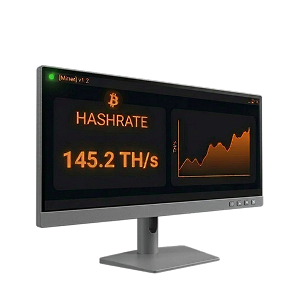
核心嚟講,挖礦軟件管理你嘅挖礦硬件同 Bitcoin 網絡之間嘅通訊。連接到挖礦池嗰時,軟件接收包含待處理交易嘅區塊模板,將工作分配俾你礦機上嘅 ASIC 晶片,再將有效嘅份額(部分 Proof-of-Work 解答)送返礦池。
礦池匯集所有礦工嘅份額,再將完整區塊提交到 Bitcoin 網絡。每個份額證明你嘅硬件完成咗一定量嘅計算工作。礦池追蹤你嘅份額,喺搵到區塊時按比例支付。
你嘅挖礦軟件持續要求新工作、監控執行工作嘅硬件、匯報結果,同時追蹤溫度、風扇速度、算力同耗電量。大部分礦工透過 Stratum 挖礦協議連接礦池——V1 或者更新嘅 Stratum V2,後者加入咗加密功能,仲俾礦工自己揀區塊模板嘅交易。
設定你嘅挖礦軟件
一步一步嘅指南,教你設定礦機同發揮最大效用。
設定硬件
將 ASIC 礦機接駁電源同以太網,搵到佢嘅 IP 地址,再用瀏覽器登入。
開始挖礦
儲存設定,你嘅礦機會喺幾分鐘內開始哈希運算。礦池追蹤你嘅份額,按比例支付。

挖礦收款用嘅 Bitcoin 錢包
用自行保管嘅錢包,自己控制私鑰——唔好將比特幣留喺交易所或者礦池帳戶。
| 純 Bitcoin 開源 | One of the oldest and most trusted Bitcoin wallets, actively developed since 2011. Lightweight, fast, and packed with power-user features including coin control, Lightning, and hardware wallet support. | Windows, macOS, Linux, Android |  |
|
| 純 Bitcoin 開源 | Collaborative multisig wallet designed to make multi-key security accessible. Manage shared wallets across multiple hardware devices and co-signers. | Windows, macOS, Linux, iOS, Android | |
|
| 純 Bitcoin 開源 | Simple, self-custody Bitcoin wallet for iOS and Android. Good for day-to-day spending of mining earnings. | iOS, Android | |
|
| 純 Bitcoin 開源 | Lightning Network wallet for fast, low-fee payments. Ideal for spending small amounts of bitcoin quickly without waiting for on-chain confirmations. | iOS, Android | |
|
| 純 Bitcoin 開源 | Formerly Blockstream Green. Self-custody Bitcoin wallet with on-chain, Lightning, and Liquid support. Built-in 2-of-2 multisig protection, hardware wallet pairing, and Tor routing. | iOS, Android, Windows, macOS, Linux | |
|
| 純 Bitcoin 開源 | Beautiful, privacy-focused mobile wallet from Foundation Devices. Works as a companion to the Passport hardware wallet or as a standalone self-custody wallet. | iOS, Android | |
|
| 純 Bitcoin 開源 | Self-custodial Lightning wallet that connects to your own Lightning node (LND, CLN, or Eclair). Also offers an embedded node option for those without their own infrastructure. | iOS, Android | |
|
| 純 Bitcoin 開源 | 2-of-3 multisig wallet system from Block (formerly Square). Combines a hardware device, mobile app, and cloud recovery key for a simple self-custody experience with no seed phrase. | iOS, Android, Standalone hardware device | |







| 純 Bitcoin 開源 | Privacy-focused Bitcoin desktop wallet with advanced UTXO management — ideal for miners who need to consolidate the many small outputs that mining pool payouts create. | Windows, macOS, Linux | |
|
| 純 Bitcoin 開源 | One of the oldest and most trusted Bitcoin wallets, actively developed since 2011. Lightweight, fast, and packed with power-user features including coin control, Lightning, and hardware wallet support. | Windows, macOS, Linux, Android | |
|
| 純 Bitcoin 開源 | The reference Bitcoin full node implementation. Running Bitcoin Core validates all transactions independently, giving you maximum sovereignty and privacy. The most trustless way to use Bitcoin. | Windows, macOS, Linux | |
|
| 純 Bitcoin 開源 | Collaborative multisig wallet designed to make multi-key security accessible. Manage shared wallets across multiple hardware devices and co-signers. | Windows, macOS, Linux, iOS, Android | |
|
| 純 Bitcoin 開源 | Formerly Blockstream Green. Self-custody Bitcoin wallet with on-chain, Lightning, and Liquid support. Built-in 2-of-2 multisig protection, hardware wallet pairing, and Tor routing. | iOS, Android, Windows, macOS, Linux | |


| 純 Bitcoin 開源 | Air-gapped, Bitcoin-only hardware wallet that signs transactions via microSD card — no USB or wireless connection needed. The most security-focused hardware wallet available. | Standalone device (air-gapped) | |
|
| 開源 | Open-source hardware wallet with a color touchscreen and broad software compatibility. Supports Bitcoin and other assets. | Standalone device (USB-C) | |
|
| The most widely used hardware wallet globally. Uses a certified secure element chip and supports thousands of assets alongside Bitcoin. | Standalone device (USB-C) | |
||
| 純 Bitcoin 開源 | Swiss-made hardware wallet with fully open-source firmware. The Bitcoin-only edition removes all altcoin code, reducing the attack surface. | Standalone device (USB-C) | |
|
| 純 Bitcoin 開源 | Affordable, fully open-source hardware wallet with air-gapped QR code signing. Uses a virtual secure element design instead of a traditional secure element chip. | Standalone device (USB-C, Bluetooth, camera) | |
|
| 純 Bitcoin 開源 | Premium air-gapped hardware wallet with fully open-source firmware and hardware. Signs transactions via QR codes and microSD, with no USB data, Bluetooth, or WiFi. | Standalone device (air-gapped) | |
|
| 純 Bitcoin 開源 | 2-of-3 multisig wallet system from Block (formerly Square). Combines a hardware device, mobile app, and cloud recovery key for a simple self-custody experience with no seed phrase. | iOS, Android, Standalone hardware device | |





挖礦池通常有最低支付門檻(一般 0.005-0.01 BTC)。頻繁嘅細額支付會產生好多 UTXO,之後花費時交易費更貴。考慮設定較高嘅支付門檻嚟減少 UTXO 碎片化,或者喺網絡費用低嗰時定期合併你嘅 UTXO。
你需要自訂挖礦軟件嗎?
原廠固件開箱即用。自訂軟件係可選嘅,但可以帶嚟好大分別。
原廠固件
每部 ASIC 礦機都隨附廠商嘅原廠固件。插電、開網頁介面、輸入礦池 URL 同錢包地址,就可以開始挖比特幣。
咁點解礦工要升級?
效率提升
Braiins OS+、LuxOS 同 Vnish 等第三方固件可以透過逐晶片自動調校將能源效率提高 15-25%。大規模嚟講,每部機每年可以慳幾百美金電費。

機隊管理
當你運行多過幾部礦機時,逐部人手檢查網頁介面變得唔切實際。Foreman 同 Awesome Miner 等平台提供集中儀表板、自動警報同批量設定,適用於幾百甚至幾千部機器。

進階控制
能源限制(電價飆升時自動關閉礦機)、根據 hashprice 動態調整表現、120V 家用挖礦模式等功能,俾營運者精細控制挖礦經濟。
點樣揀挖礦軟件
合適嘅軟件取決於你嘅操作規模、目標同技術專長。
家庭礦工(1-2 部 ASIC)
喺屋企運行一兩部礦機,用嚟學習、供暖或者賺少少。
- 由原廠固件開始學基礎
- 準備好提升效率時升級到 Braiins OS+ 或 LuxOS
- LuxOS 提供 120V 旁路模式適合家用電源
- Hive OS 免費方案涵蓋你第一部礦機嘅監控
小型礦場(3-50 部 ASIC)
需要集中監控嘅專用挖礦設置。
- 刷入第三方固件獲得 15-25% 效率提升
- 用 Braiins OS+ 或 Vnish 為所有機器自動調校
- 用 Awesome Miner 或 Minerstat 進行經濟實惠嘅機隊管理
- 設定機器故障嘅自動警報
工業級操作(50 部以上 ASIC)
需要企業工具同能源管理嘅大規模挖礦。
- 用 Foreman 或 Braiins Manager 控制整個機隊
- 自動化能源限制以應對需求響應
- 喺整個機隊統一固件
- 託管客戶管理同報告工具
ASIC 固件
取代礦機原廠軟件嘅第三方固件,提升效率、算力同控制。

Braiins OS+
2-2.5% dev fee (hashrate-based); 0% effective fee when mining on Braiins Pool
訪問 Braiins OS+
The most established aftermarket ASIC firmware, developed by the team behind Braiins Pool (formerly Slush Pool). Features per-chip autotuning that analyzes every individual ASIC chip and adjusts frequencies so higher-quality chips work harder while lower-quality chips run at reduced speeds, resulting in significantly better joules-per-terahash efficiency.
- 硬件
- Antminer S9, S17, S19, S21, S23 series
- 最適合
- Miners who want maximum efficiency and Stratum V2 protocol support
- Per-chip autotuning and dynamic frequency scaling
- Native Stratum V2 support (encrypted, miner-selected transactions)
- Immersion cooling mode (no fan spoofers needed)
- Dynamic performance scaling to prevent overheating
- 2-15% hashrate increase with lower power consumption

LuxOS
2.8% dev fee; free pool usage when mining on Luxor Pool
訪問 LuxOS
The first ASIC firmware to achieve SOC 2 Type 2 certification and the only Antminer firmware developed, owned, and maintained by a US-based company (Luxor Technology). LuxOS dynamically adjusts operations — shifting to ultra-efficient mode when hashprice falls and enabling overclocking when it rises.
- 硬件
- Antminer S19, S21 series
- 最適合
- US-based operations needing SOC 2 compliance, home miners wanting 120V support
- Dynamic performance optimization based on hashprice
- 120V PSU Bypass Mode for home mining on household power
- Granular fan speed control (20-100%)
- Fast power curtailment (~25W in under 5 seconds)
- 15-18% efficiency improvement on S21 series

Vnish
2.8% dev fee; reduced rates for large-scale farms
訪問 Vnish
A widely used aftermarket firmware known for deep manual tuning controls and broad hardware compatibility. Vnish works with each individual chip on the hash board, analyzing characteristics and selecting optimal voltage and frequency parameters for maximum performance without losing stability.
- 硬件
- Antminer S19, S21, T19, T21, L7, L9; Whatsminer M30S+, M31S+
- 最適合
- Miners who want maximum manual control and broad hardware support
- Per-chip optimization with manual tuning depth
- Up to 30% hashrate boost over stock firmware
- Enhanced security with SSH protocol control and virus protection
- Power consumption reduction of up to 30%
- Free lifetime updates included
三者都採用開發者費用模式(算力嘅 2-2.8%),通常透過效率提升多倍收回。喺相關礦池挖礦時,每個都提供減免或免除費用。
機隊同礦場管理軟件
由單一儀表板監控、控制同優化多部礦機嘅集中平台。

Foreman
Industry-leading Bitcoin mine management platform enabling miners to remotely manage sites from anywhere. Excels at large-scale configuration management and monitoring with granular visibility into machine-level performance while maintaining simple fleet-wide controls.
訪問 Foreman
- 定價
- Per-device pricing tiers; free sign-up available
- 規模
- Enterprise (unlimited)
- 硬件
- Broad ASIC model and firmware support
- 最適合
- Professional mining farms needing enterprise-grade energy management
- Fleet-wide configuration and firmware management
- Automated energy curtailment based on price thresholds
- Real-time machine and environmental monitoring
- LuxOS firmware integration for advanced tuning
- Automated earnings tracking and reporting

Awesome Miner
A powerful mining management tool for Windows and Linux that scales from hobby setups to warehouse-level operations managing up to 200,000 ASIC miners. Features profit-switching capabilities that analyze real-time revenue alongside power consumption.
訪問 Awesome Miner
- 定價
- Free for up to 2 miners; $2/miner/month after that
- 規模
- Up to 200,000 ASICs
- 硬件
- All Antminer models, 50+ mining engines including CGMiner and BFGMiner
- 最適合
- Operations needing deep automation and profit optimization
- Profit switching based on real-time revenue analysis
- 30+ trigger conditions and 40+ automated actions
- Automatic problem detection and recovery
- Full Antminer support (reboot, pool config, firmware, LED)
- Web dashboard accessible from any browser

Hive OS
A popular mining operating system and management platform that supports both GPU rigs and ASIC miners from a single dashboard. Known for its beginner-friendly interface and generous free tier for home miners.
訪問 Hive OS
- 定價
- Free for home mining and first miner; $3/month per additional device
- 規模
- Small to large
- 硬件
- Antminer, Whatsminer, and GPU rigs
- 最適合
- Beginners and hybrid GPU/ASIC setups
- Unified dashboard for GPU rigs and ASIC miners
- Automatic issue detection and efficiency monitoring
- Bulk device management and configuration
- Hiveon ASIC firmware integration
- 24/7 community support

Braiins Manager
The cloud-based fleet management extension of the Braiins ecosystem, designed for managing mining operations from small setups to industrial-scale deployments. Integrates tightly with Braiins OS+ firmware and Braiins Pool.
訪問 Braiins Manager
- 定價
- Free sign-up; cloud-based platform
- 規模
- Mid-size to industrial
- 硬件
- Best with Braiins OS+ firmware; supports major ASIC models
- 最適合
- Operations already using the Braiins ecosystem
- Remote miner configuration and monitoring
- Curtailment management and energy reporting
- Issue tracking and automated alerting
- Hosting client management tools
- Tight integration with Braiins OS+ and Braiins Pool

Minerstat
Professional mining monitoring and management platform with a clean interface and broad hardware support spanning seven ASIC manufacturers. Available on Windows, Mac, Linux, and even Raspberry Pi.
訪問 Minerstat
- 定價
- Free tier available; paid plans for larger operations
- 規模
- Small to medium
- 硬件
- Bitmain, MicroBT, Innosilicon, Canaan, Dayun, Ebang, Fusionsilicon
- 最適合
- Small to medium operations wanting broad hardware support
- ASIC Hub for remote monitoring and management
- Profit switching across 300+ coins and 400+ pools
- Remote reboot and firmware updates
- Bulk and individual worker management
- Cross-platform (Windows, Mac, Linux, Raspberry Pi)
常見問題
關於 Bitcoin 挖礦軟件嘅常見問題解答。
咩係 Bitcoin 挖礦軟件?
Bitcoin 挖礦軟件係連接 ASIC 挖礦硬件同 Bitcoin 網絡及挖礦池嘅程式層。佢將計算工作傳送俾礦機晶片、收集完成嘅 Proof-of-Work 解答、轉發到網絡,同埋監控硬件健康狀況,包括溫度、算力、風扇速度同耗電量。
咩係 ASIC 固件?
ASIC 固件係直接喺 Bitcoin 挖礦機上運行嘅作業系統。原廠固件來自製造商(Bitmain、MicroBT、Canaan),而 Braiins OS+、LuxOS 同 Vnish 等第三方固件取代佢嚟解鎖逐晶片自動調校、動態功率管理同 15-25% 效率提升。
Bitcoin 挖礦軟件免費嗎?
大部分挖礦管理平台為細規模操作(1-2 部礦機)提供免費方案。第三方 ASIC 固件採用開發者費用模式——通常你算力嘅 2-2.8% 會導向固件開發者嘅礦池。呢個費用通常透過固件帶嚟嘅效率提升多倍收回。
我需要第三方固件嗎?
唔需要——原廠固件開箱即用。但第三方固件通常透過逐晶片自動調校提供好 15-25% 嘅能源效率,每部礦機每年可以慳幾百美金電費。對大部分礦工嚟講,開發者費用幾日就回本。
新手最啱用咩挖礦軟件?
由礦機嘅原廠固件開始學基礎,再試用 Hive OS 免費監控第一部礦機。熟練之後,升級到 Braiins OS+ 或 LuxOS 固件提升效率。LuxOS 嘅 120V 家用挖礦模式特別適合新手。
咩係 Stratum V2?
Stratum V2 係新一代挖礦協議,喺礦工同礦池之間加入加密通訊、防止中間人攻擊,同埋俾礦工自己揀區塊模板嘅交易。Braiins OS+ 目前係唯一原生支援 Stratum V2 嘅固件。
挖礦收款應該用咩 Bitcoin 錢包?
用自行保管嘅錢包,自己控制私鑰。Sparrow Wallet(桌面版)最適合礦工,因為佢提供 UTXO 管理工具嚟合併礦池支付產生嘅細額輸出。長期冷儲存就用 Coldcard 或 Trezor 等硬件錢包。唔好將挖礦收入留喺交易所或礦池帳戶。